

Tsunami Keyboard MK-02, MK-03 and MK-04 Comparison | Gaming Keyboards for Beginners
Mechanical keyboard is a mechanical design, unlike the commonly used “rubber-key or Rubber Dome keyboard, which is cheaper but has a shorter service life, feels less comfortable to type on and requires replacement of the whole keyboard if a key fails. In contrast, Mechanical keyboard has a separate switch for each key, so a faulty switch can be replaced individually. It is also more durable, with most switches rated for up to 50 million presses. Beyond durability, it delivers satisfying tactile typing and fast response. With E-Sport growing in popularity, a responsive keyboard that keeps combos flowing makes this type an obvious choice.
When discussing Mechanical keyboard strength and durability stand out. Each keycap can be removed for easy cleaning. Removable caps also let you customize the keyboard to your style. Some models have backlighting for clearer legends and a more enjoyable gaming atmosphere. Gaming is not the only use, however: Mechanical keyboard is also suitable for all kinds of work.
Tsunami is another brand offering Mechanical keyboard several interesting models using switches from Outemu a Chinese brand known for strength and a solid keypress feel. Its affordability makes it a good option for anyone wanting to move from a conventional keyboard to Mechanical keyboard as an entry point.
[Hot-Swappable Switches - What's The Deal?! | Fantech World]
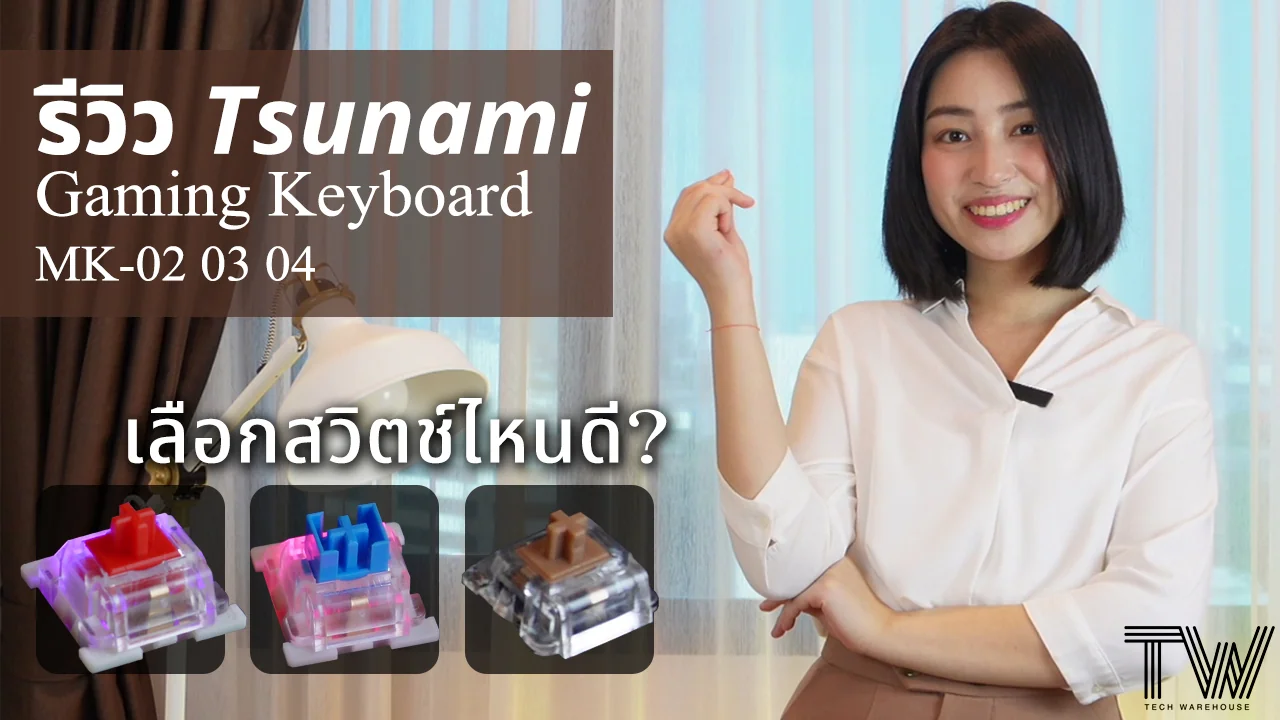
The switches selected by Tsunami come in 3 types: Red Switch, Blue Switch, Brown Switch Every keyboard model offers all 3 switch options.
Let's start with the first type, Red Switch which is a Linear with the lowest resistance, quick response and 1-stage keystrokes. It is relatively quiet and suits fast typing or games requiring rapid multi-key control. It is also suitable for offices where keyboard noise can disturb people nearby.
The next type is Blue Switch which is a Clicky has the greatest resistance and strongest typing feel, with an audible click on each press, making it enjoyable like a typewriter. Its keystroke has 2 stages: pressing the switch causes the internal spring to trigger a Tactile Bump into contact with the circuit. The sensation is compared to a camera button pressed first to lock focus, then again to release the shutter.
The last type is Brown Switch which is a Tactile combines Red and Blue Switch characteristics, with 2-stage keystrokes and a Clicky-like feel while remaining as quiet as Linear.
Today we have Mechanical keyboard from the brand Tsunami in 3 interesting models. The first is
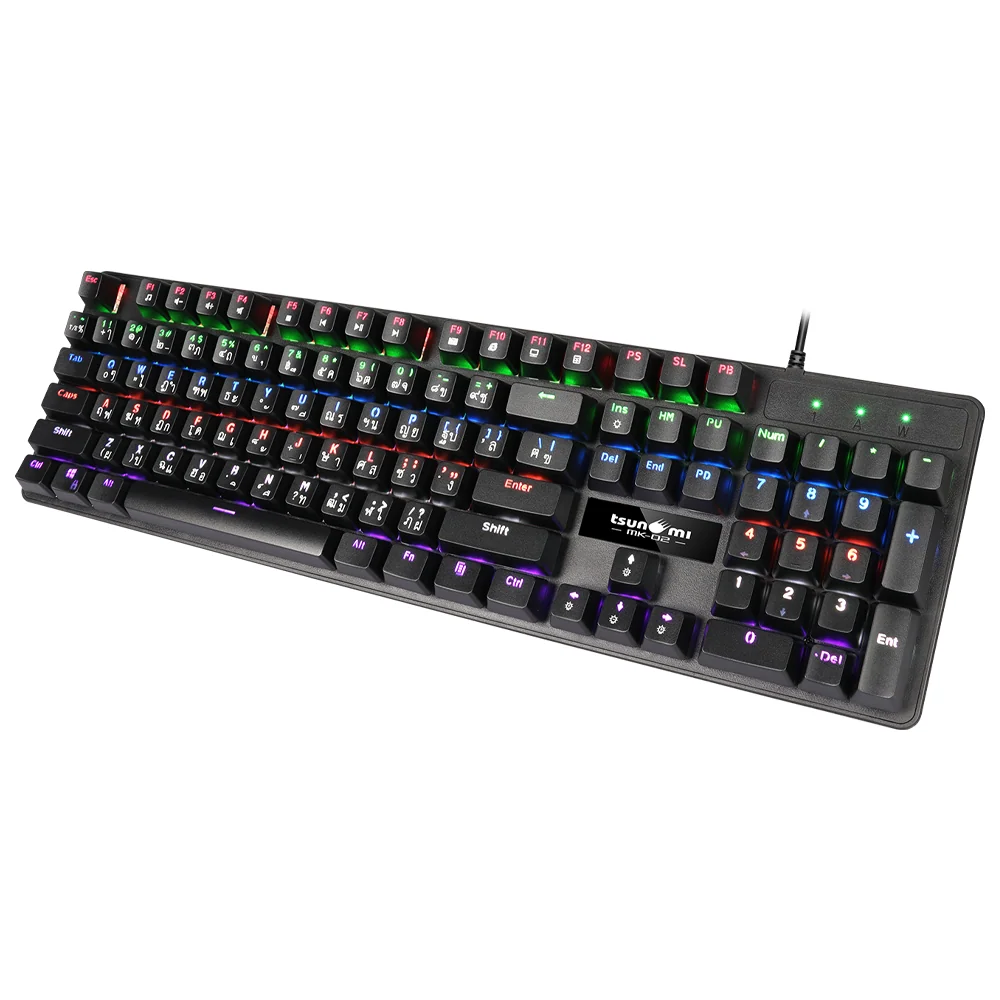
MK-02 has more keys than the other 2 models: 104 keys in a full-size 100% layout with letters, numbers, arrows and function keys. It suits people who need a numeric keypad. The keycaps are removable, revealing the switch colors underneath. RGB lighting changes with Fn and SL, with 9 modes as demonstrated. *Show all 9 modes.* Fn and the up/down arrows adjust brightness through 3 levels or turn it off. Fn and the left/right arrows adjust lighting speed through 3 levels.
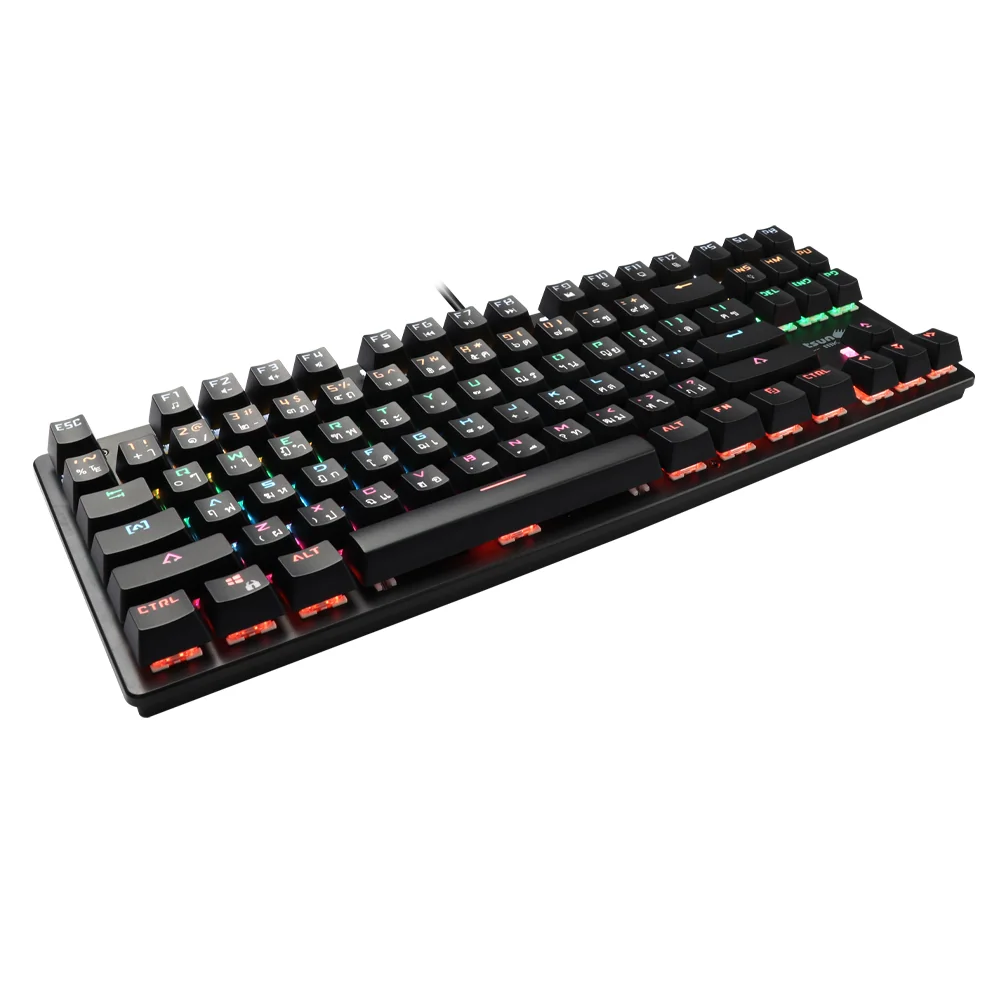
The next model is MK-03 is a Ten-Key-Less, or TKL, keyboard with an 80% layout and 87 keys. Its arrangement matches a full-size keyboard with the numeric keypad removed, saving desk space. RGB lighting also has 9 modes, selected with Fn and INS. Press Fn, INS and the up/down arrows together to adjust brightness through 3 levels or turn it off. Fn and the left/right arrows adjust lighting speed through 3 levels.
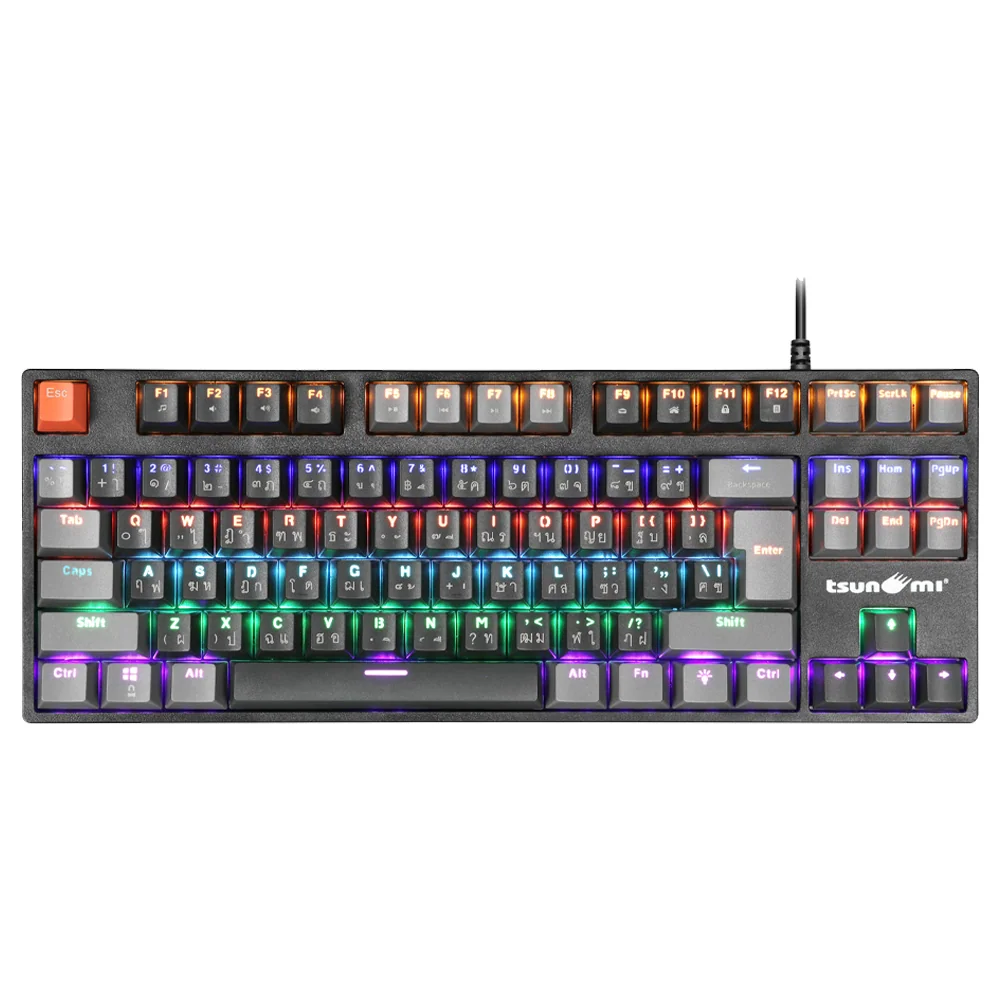
The third model is MK-04 comes in 2 colors, Youth Black and Youth Gray. It is also TKL, but its layout differs from the previous 2 models: Enter is L-shaped, and the backslash key moves to the row below. This ISO (International Organization for Standardization) layout is popular in Europe, while the previous 2 use ANSI (American National Standards Institute), common in America and Asia, including Thailand. A dedicated bulb-symbol button changes lighting modes without Fn, offering 12 modes. *Show all 12 modes.* Fn, the light button and the up/down arrows adjust brightness through 3 levels or turn it off. The caps lock key has no light when not engaged. Fn and the left/right arrows also adjust lighting speed through 3 levels.
One point to note about all 3 models: there is no software for customizing the keyboard. Software-based lighting customization, other keyboard adjustments and macro programming are therefore unavailable on these 3 keyboards.
Which is best among these 3 keyboard designs and 3 switch types depends on the user. If you like a typewriter-like feel and rhythmic clicks that will not bother coworkers, Jan recommends Blue Switch. If you prefer relaxed work, soft keystrokes and quiet operation that does not disturb others, choose Red Switch. If you cannot decide between them, Brown Switch is Jan's recommendation. For more details or to order, visit Tsunami Keyboard MK Series
